stdout-tv: 4k, but in 80 columns
First semester, I saw a demo of a spinning ASCII donut in a terminal. That's what got me thinking. Could I do that with video, not just a spinning shape, an actual video. YouTube, but ASCII, in the terminal, with sound.
(why did that donut live in my head for so long)
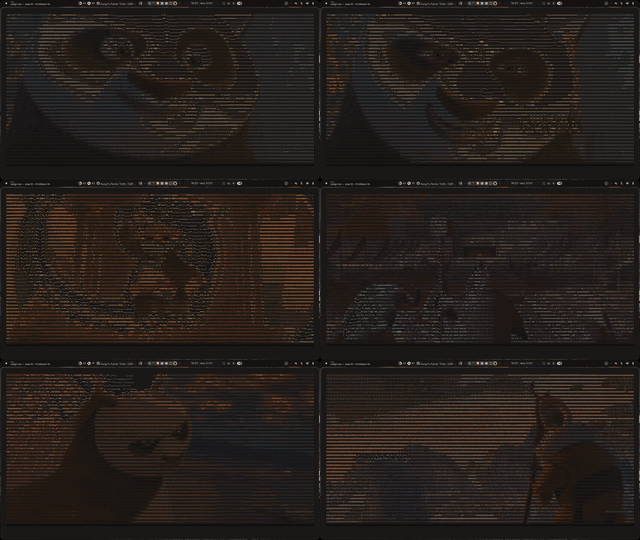 the demo. youtube, but the monitor is a terminal
Anyway. Here's the pipeline, roughly:

yt-dlp resolves the video URL. ffmpeg decodes it and streams raw RGB24 frames. Each frame gets scaled down to fit the terminal. An 80 column terminal gets something like 160x40 pixels of source video. Then my converter, pixel2ascii (built it as its own crate, felt cleaner that way), turns those pixels into characters.
Okay, so why does . look dark and @ look bright.
Each character fills its cell differently. A period is small, barely any ink on the page, so it reads as dark. An @ is dense, it fills most of the cell, so it reads as bright. Match dark pixels to sparse characters, bright pixels to dense characters, and the text ends up reproducing the light and dark pattern of the original image.
(simple once you see it, took me a while to actually see it though)
Now the brightness formula. This part matters more than I expected going in.
A pixel isn't one number, it's three: red, green, blue. So I need to turn those three into one brightness value before I can pick a character. Can't just average them though. The eye doesn't treat all colors as equally bright. Green looks way brighter to us than red or blue at the same intensity.
(this is the Rec. 709 luminance formula, didn't make it up, just used it)
Green gets about 71% of the weight. Red gets about 21%. Blue gets about 7%. If I'd just averaged the channels, a saturated blue pixel would come out looking just as "bright" as a saturated green pixel of the same magnitude. But it wouldn't look that bright to an actual person watching the screen. So the formula is what makes the ASCII output look correct instead of just technically correct.
Once I have a brightness value, 0 to 255, for each sample block, I map it onto a ramp of characters ordered from sparse to dense. Something like ' .:-=+*#%@'. Pick the character whose density matches the brightness. That's the whole conversion.
A few other things I had to get right.
Aspect ratio. Terminal characters are taller than they are wide. If I sampled square blocks of pixels the video would look stretched, like a funhouse mirror. So each sample block is 2 pixels wide, 1 pixel tall. Corrects for the shape of the character cell.
Character sets. I ended up with three, a default set, a denser set, and a unicode block set. Blocks look smoother, almost photographic. The default set has that retro, line art look though. (that's the one I actually use)
FPS. Source video plays at one frame rate, the terminal redraws at another. Push frames without syncing and it flickers badly. So I sync to the source fps. And instead of clearing the screen between frames, which flickers on its own, I move the cursor back to the top and redraw over the previous frame.
Audio. ffmpeg decodes the file once, outputs two streams. Video frames go to my renderer, audio goes to PulseAudio. One process, two outputs, both in sync.
(is any of this useful. no. did I still spend three weekends on it. also no, wait, yes)
It's not a useful tool. But it works, start to finish. Resolve the url, decode the video, resample it, convert it to characters, render it, play the audio in sync. All from one terminal command.